Free for Windows · Open source · Works with Claude AI

Office apps that are actually free. No catch.

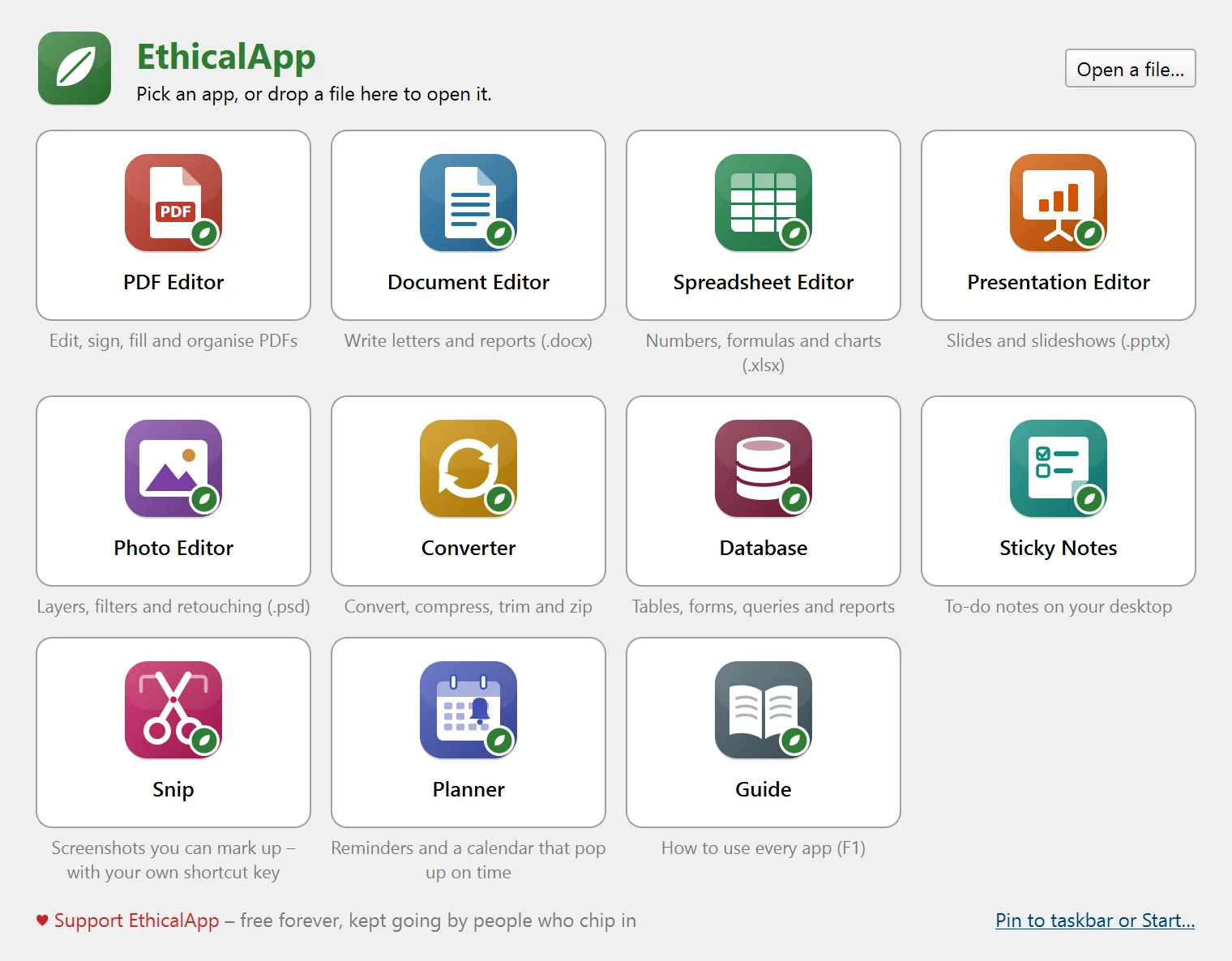
Tired of “free” PDF editors that add watermarks, lock the useful buttons, or want a monthly subscription? EthicalApp is ten complete apps – PDF, documents, spreadsheets, slides, photos, converting, databases, sticky notes, screenshots and reminders – that open your Word, Excel, PowerPoint and Photoshop files. Free forever.

  • No subscription
  • No watermarks
  • No account
  • No ads or tracking
  • Your files never leave your PC
The EthicalApp window with all ten apps
Why I made this

I just wanted a PDF editor that was actually free.

Every “free” one I tried had a catch. A watermark on the saved file. The one button I needed locked behind a subscription. An installer that tried to sneak in a toolbar. Or a website that wanted me to upload my private documents to someone else's server first.

I couldn't find a good, safe, free option – so I built my own. Then I kept going: a document editor so I could stop putting up with WordPad, spreadsheets, slides, a photo editor, a converter, screenshots, sticky notes for my to-do list, and reminders so I don't forget my supplements.

These are the everyday tools I wanted on my own PC: simple, fast, private, and free for real. No accounts, no ads, no tracking, no trial that runs out. If they make your day a little easier too, that's the whole point.

— CraftingBenchGames, the maker of EthicalApp
Free means free

No trial that runs out. No “export costs extra”. No account. Just the tools.

🔓

Every feature, unlocked

Edit PDF text, sign, fill forms, merge, split – nothing is held back for a paid tier, because there isn't one.

🔒

100% private

Everything you open, edit and save stays on your own computer. Nothing is ever uploaded – no cloud, no account, no tracking, and it works offline. Privacy policy

📂

Opens the files you have

Word .docx, Excel .xlsx, PowerPoint .pptx, Photoshop .psd and PDF – and saves them back, so you can still swap files with anyone.

🪶

No bloatware

No toolbars, no “recommended offers” in the installer, no background updater. Pick the apps you want, skip the rest.

👐

Open source

The full source code comes with every install. Anyone can check what it does – and it can't be taken away.

💚

Paid for by kindness

If it saves you money, you can chip in. If you can't, that's fine too – you get exactly the same apps.

Ten apps, one free download

Open them from one window, or right-click any file → Open with Ethical…

Ethical PDF Editor

The reason this whole thing exists
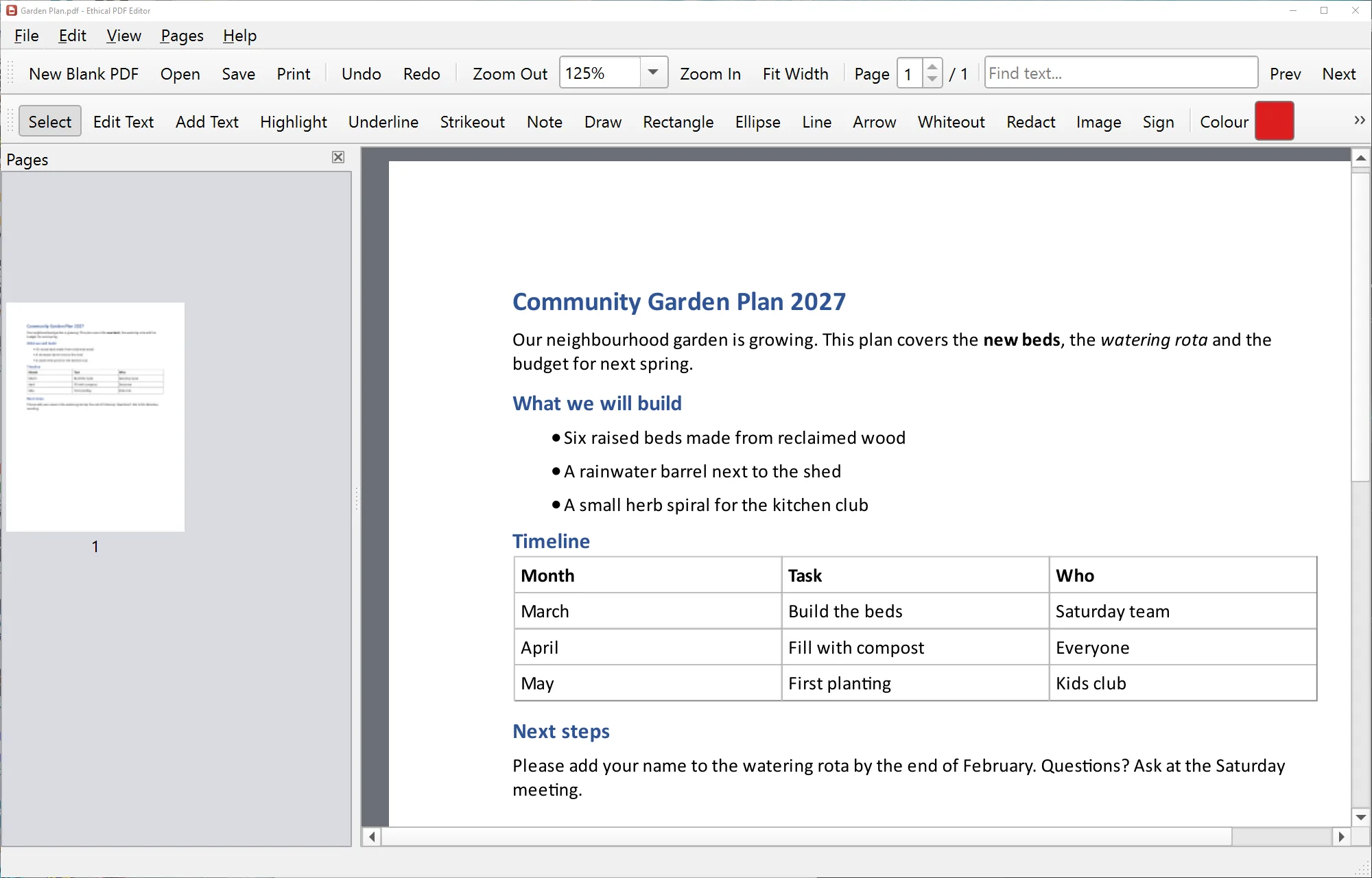
  • Edit the existing text in a PDF – it matches the original font when you have it installed
  • Highlight, underline, sticky notes, drawing, shapes and arrows
  • Fill in forms and add your signature
  • Reorder, rotate, delete and insert pages; merge and split PDFs
  • Whiteout, or true redaction that really removes hidden text
  • Export pages as pictures, Word or text
.pdfpassword-protected PDFs
Ethical PDF Editor

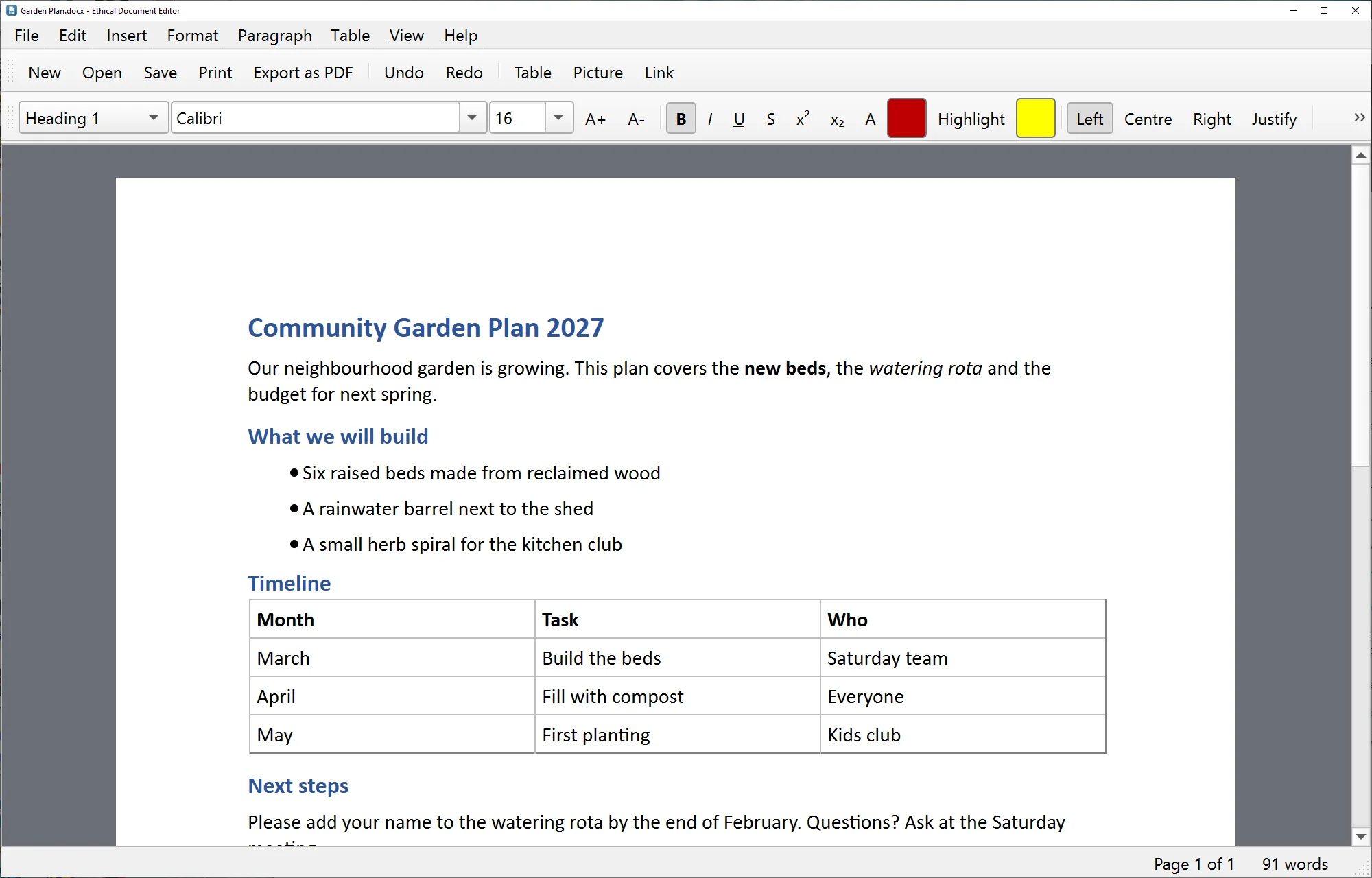
Ethical Document Editor

Letters, reports and essays – no more WordPad
  • Real pages on screen, like the paper they'll print on
  • Headings, fonts from your PC, lists, tables, pictures and links
  • Page size and margins, headers, footers and page numbers
  • Find & replace, word count, print and save as PDF
.docx.odt.html.md.txt→ .pdf
Ethical Document Editor

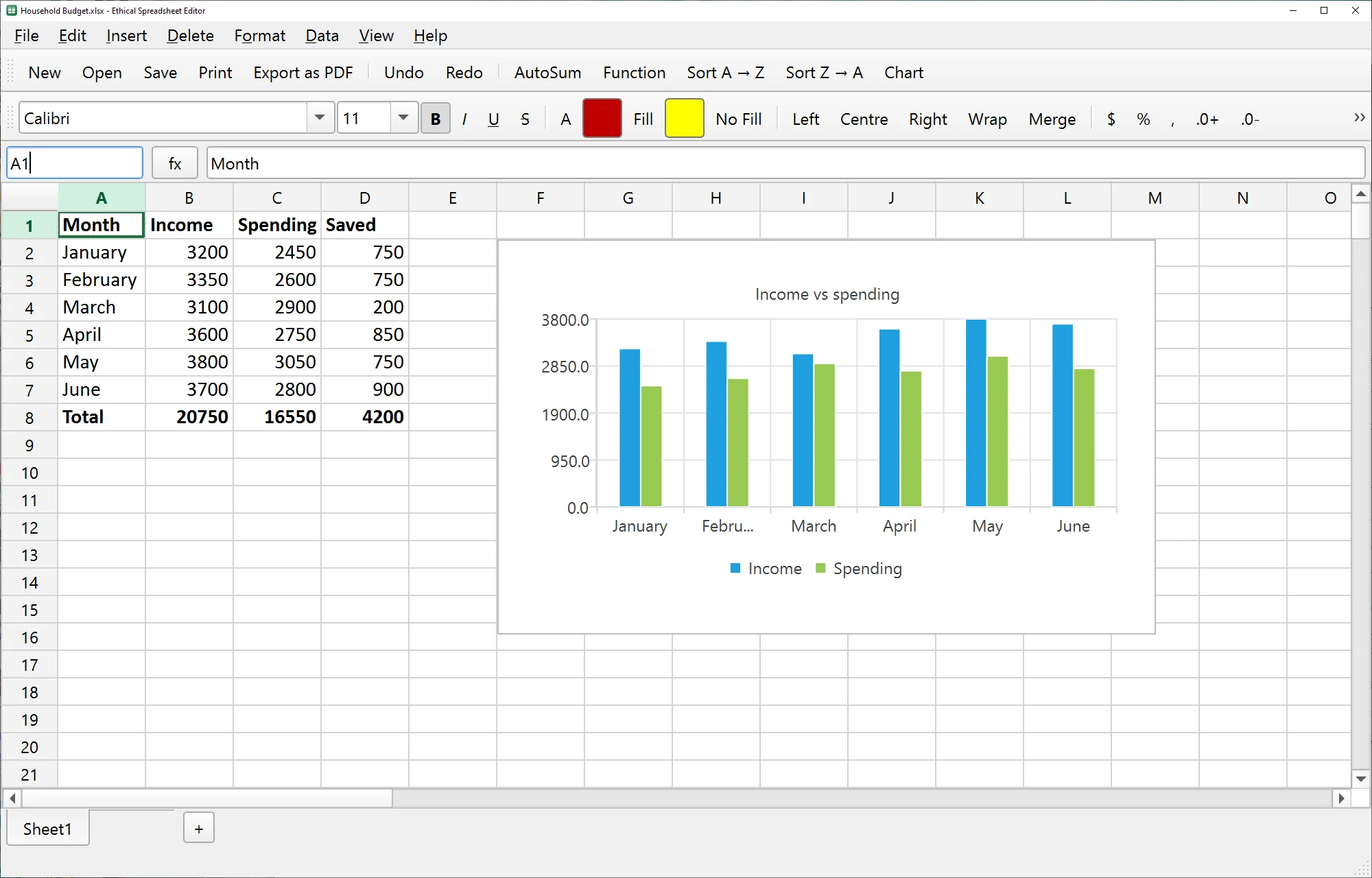
Ethical Spreadsheet Editor

Budgets, lists and number-crunching
  • 143 Excel-style functions – SUM, IF, VLOOKUP, XLOOKUP, dates, text and more
  • Column, bar, line and pie charts, and pictures
  • Number formats, borders, merged cells, sorting and auto-fill
  • Several sheets per workbook; print or save as PDF
.xlsx.xlsm.csv.tsv→ .pdf
Ethical Spreadsheet Editor with a chart

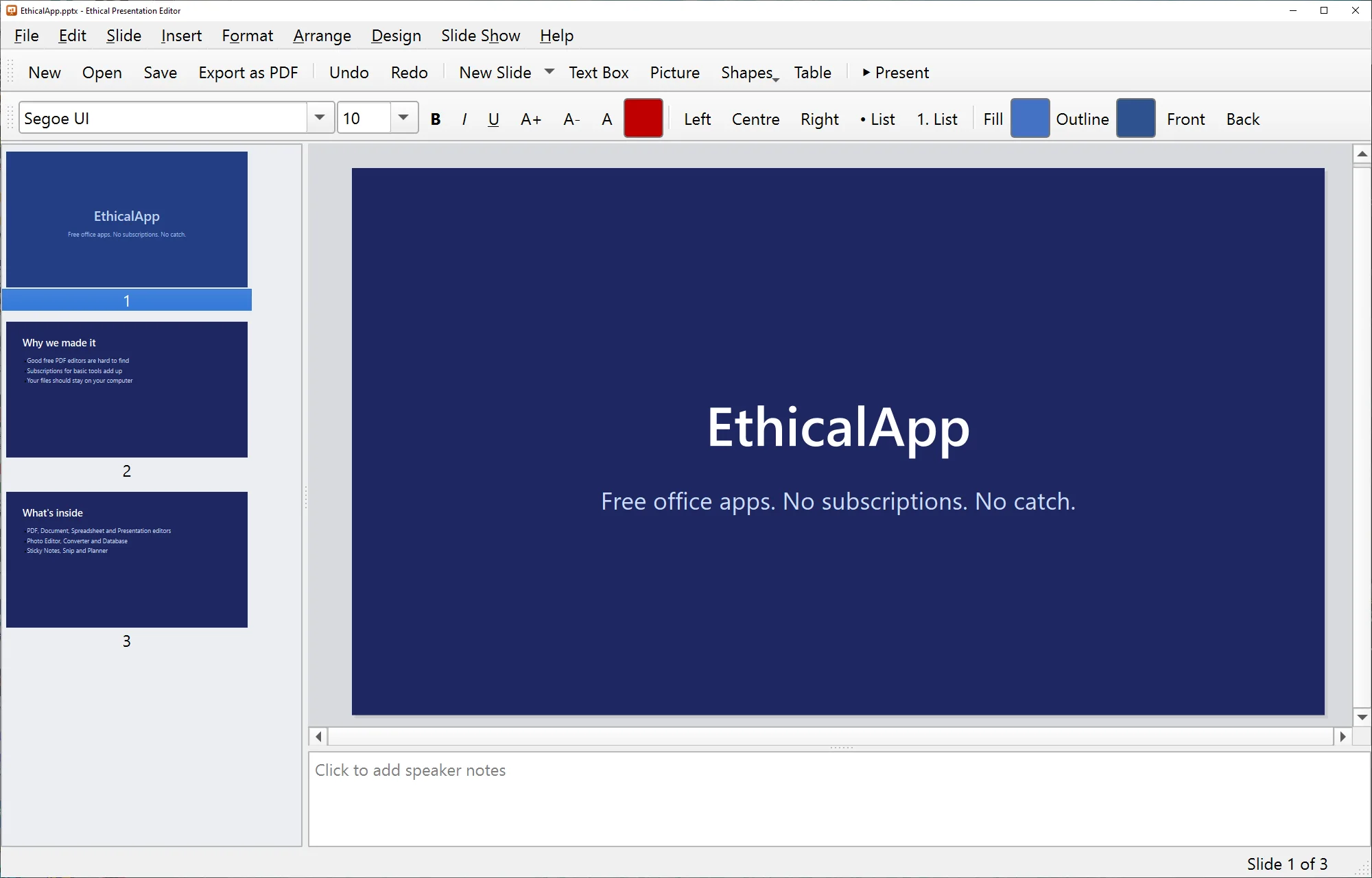
Ethical Presentation Editor

Slides for school, work and family events
  • Opens PowerPoint decks with their own themes and layouts
  • Text, shapes, pictures, tables and speaker notes
  • Eight built-in themes for new decks
  • Full-screen slideshow; export to PDF or pictures
.pptx→ .pdf→ .png
Ethical Presentation Editor

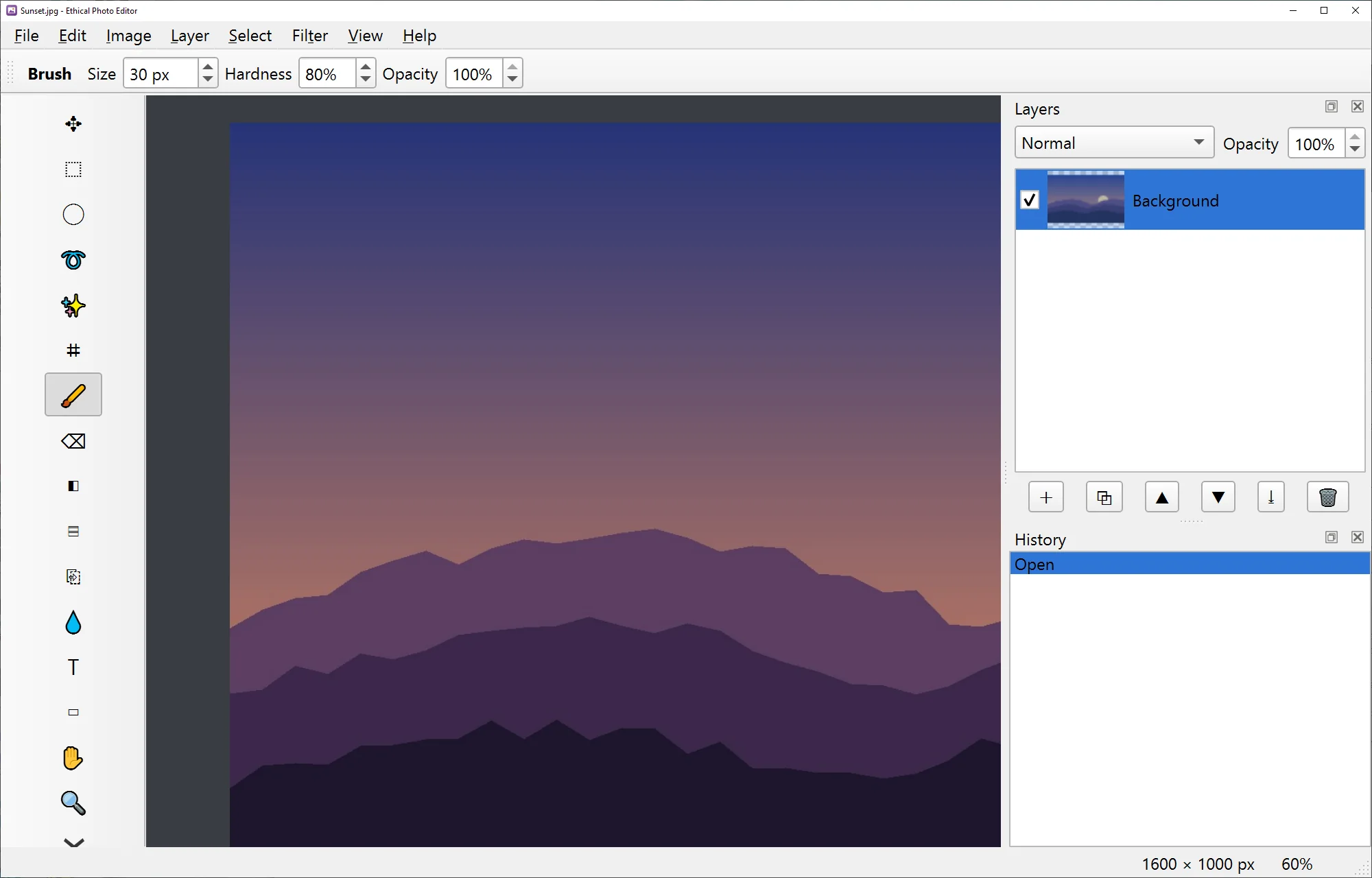
Ethical Photo Editor

Layers, filters and retouching
  • Layers with blend modes and opacity
  • Brushes, eraser, fill, gradient, clone stamp, text and shapes
  • Selections: rectangle, ellipse, lasso and magic wand
  • Adjustments and filters: levels, hue/saturation, exposure, blur, sharpen, vignette…
  • Opens and saves Photoshop files with their layers
.psd.png.jpg.webp.gif.tif.bmp.ora
Ethical Photo Editor

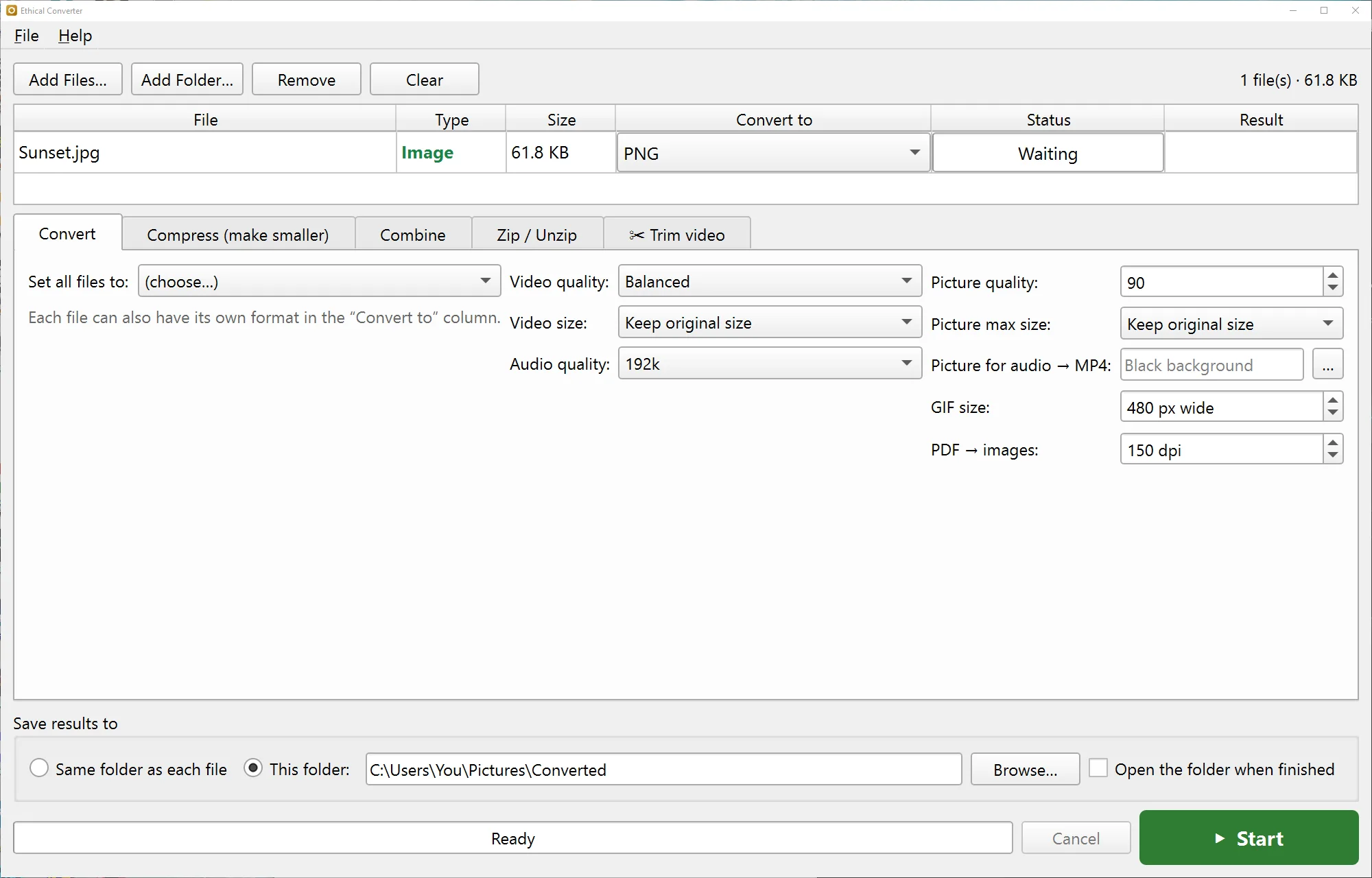
Ethical Converter

Turn any file into the one you need
  • Convert audio, video, pictures and documents – e.g. .wav → .mp3, .mov → .mp4, .docx → .pdf
  • Compress big videos, photos, audio and PDFs to send them
  • Combine PDFs, pictures, audio or video clips into one file
  • Trim videos – keep just the part you want, rotate sideways phone videos, make them smaller or mute them
  • Zip and unzip, including .7z
  • Whole folders at once – right-click → Convert / compress
mp4movmkvmp3wavflacjpgpngwebppdfzip7z…
Ethical Converter

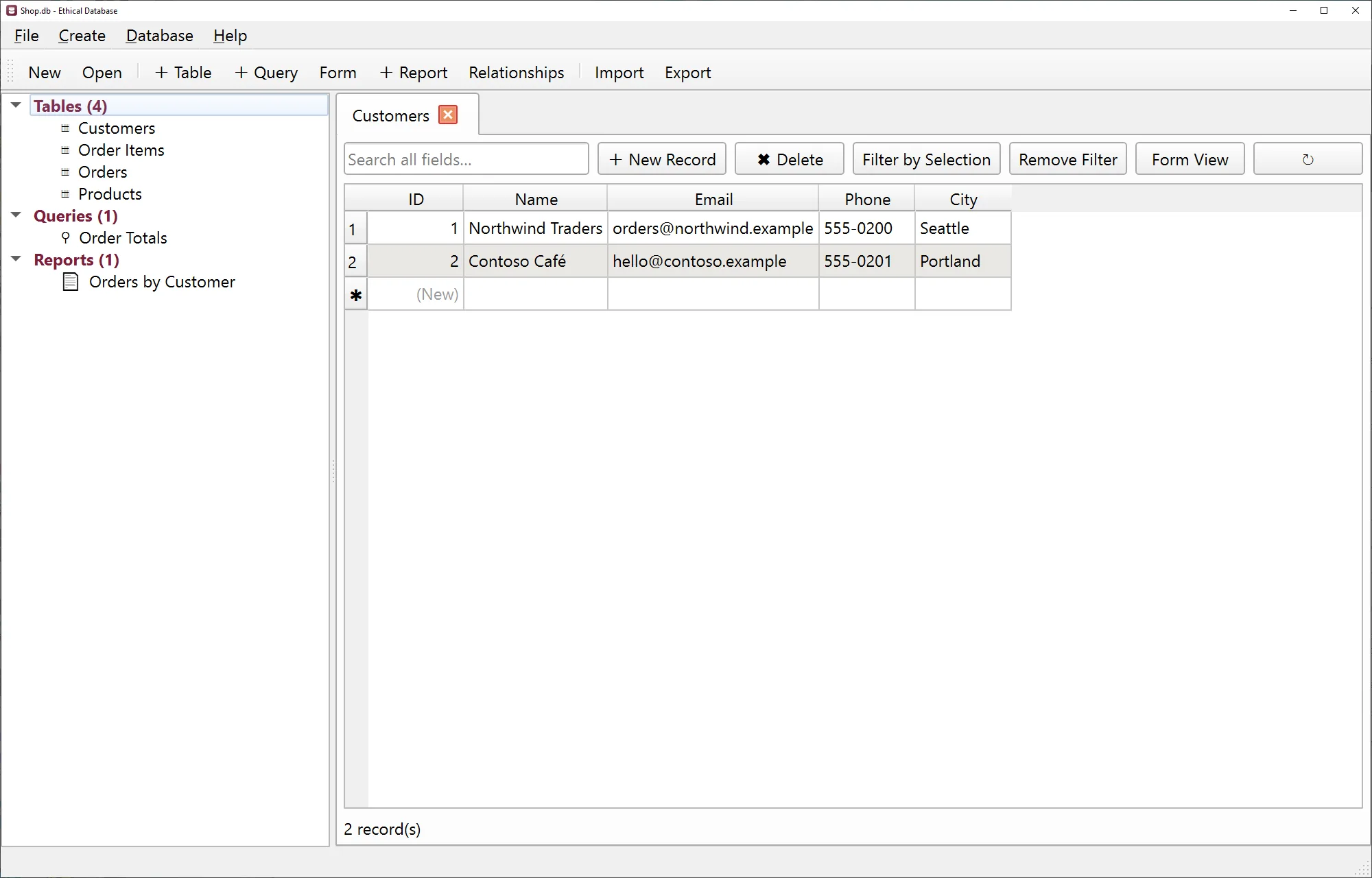
Ethical Database

Keep track of customers, stock, collections…
  • Tables with field types, forms for entering data, and search
  • Queries without writing code (or with SQL if you like)
  • Relationships between tables, and printable reports
  • Ready-made templates: contacts, tasks, inventory, orders
  • Import from Excel, CSV and Microsoft Access
.db.sqliteimport .accdb/.mdb.xlsx.csv
Ethical Database

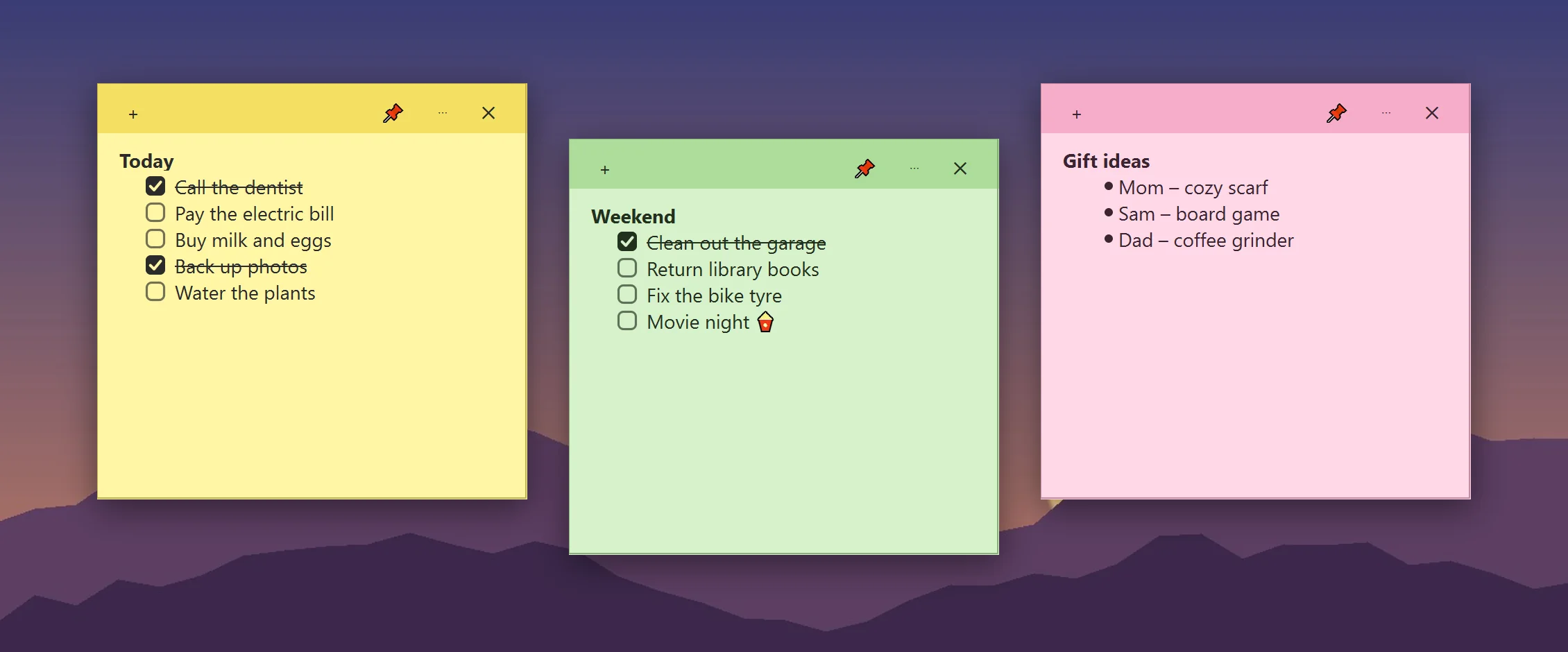
Ethical Sticky Notes

To-do lists that live on your desktop
  • Notes that stay on your screen – drag, resize, fold to the title
  • To-do checkboxes: tick a task and it's crossed out
  • 8 colours, bold/italic/underline, bullets, “keep on top”
  • Saves as you type, comes back when Windows starts, and deleted notes can be restored
  • Ask Claude to add tasks or tick them off for you
Ethical Sticky Notes on a desktop

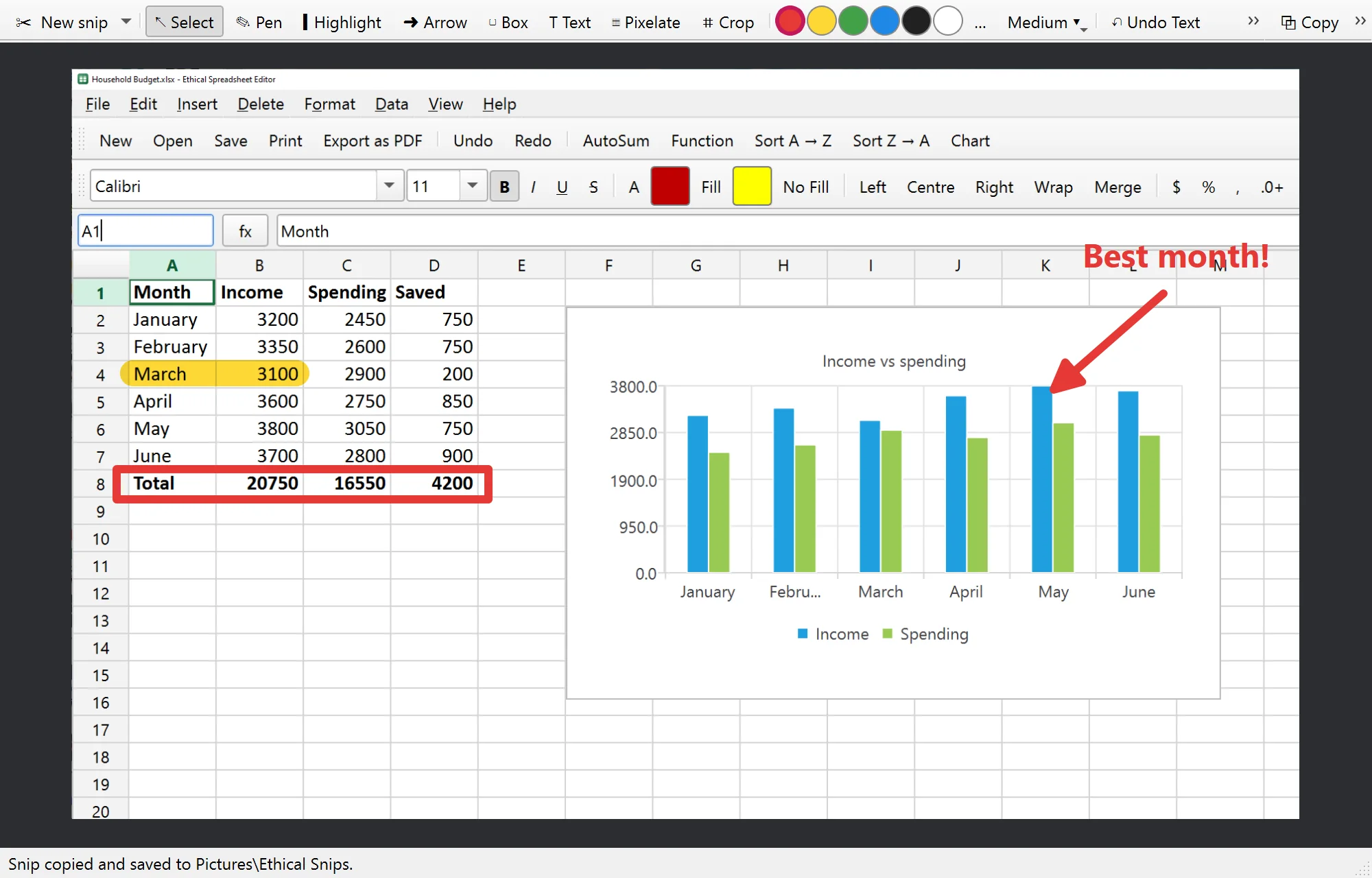
Ethical Snip

Screenshots in one keypress – you choose the shortcut
  • Snip an area, a window, the whole screen or a free-form shape – on every monitor
  • Mark it up: pen, highlighter, arrows, boxes and text
  • Pixelate names, addresses or passwords before you share
  • Crop, undo/redo, then copy, save (PNG, JPG, WebP) or open in the Photo Editor
  • Every snip is copied and saved automatically – paste it straight into a chat
Ethical Snip with arrows, a box and text on a screenshot

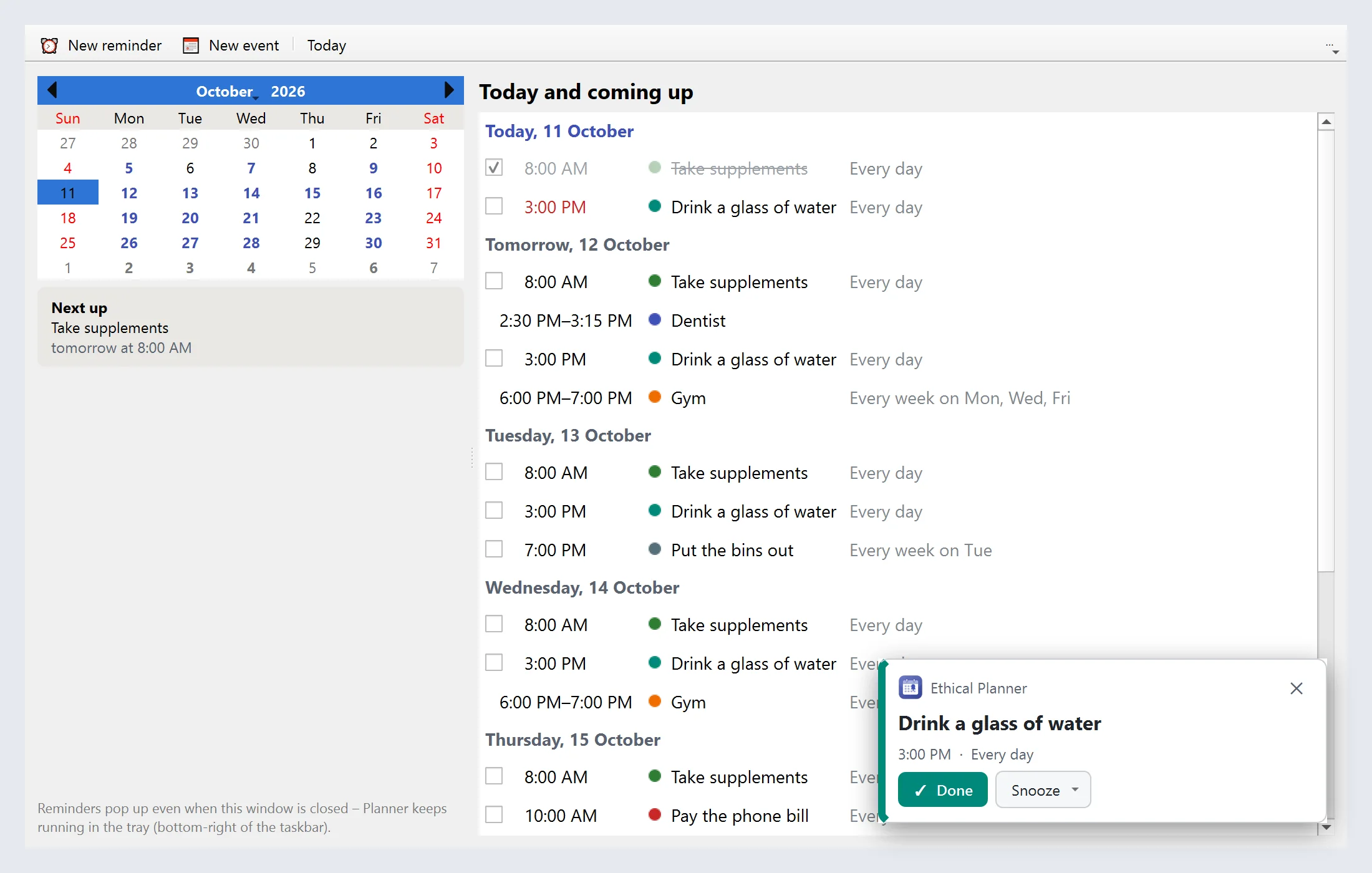
Ethical Planner

Reminders that actually remind you
  • Repeating reminders – “take supplements every day at 8:00”, “bins out every Tuesday”
  • Calendar events with a heads-up: a day before, an hour before, or both
  • A pop-up card with Done and Snooze – even with Focus Assist on
  • Missed one while the PC was off? It pops up next time, marked “missed”
  • Ask Claude: “remind me to call mom on Sunday at 5”
Ethical Planner with reminders and a pop-up

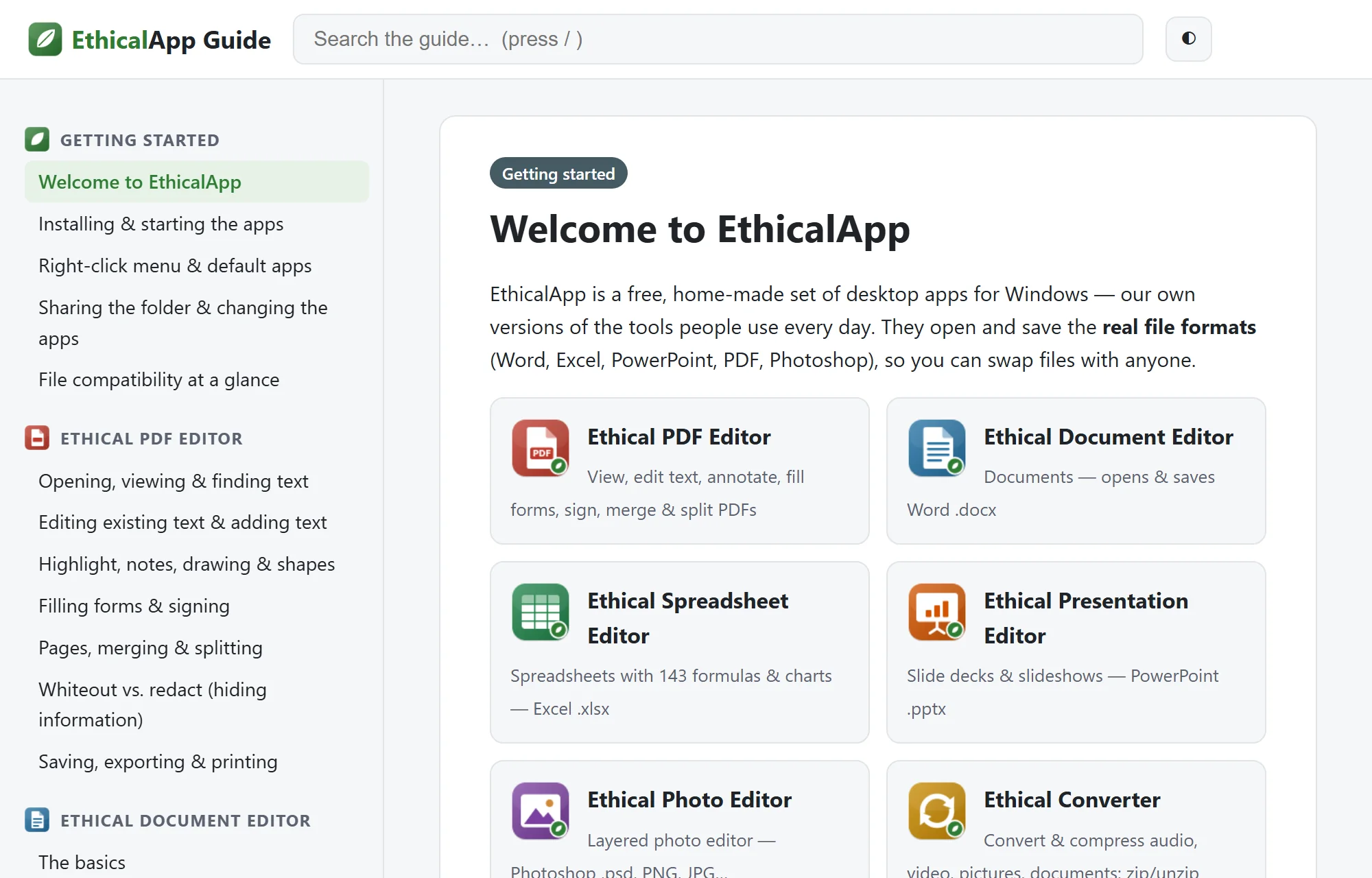
Plus: a real user guide

56 searchable articles, works offline

Press F1 in any app to jump to help about what you're doing. Step-by-step articles, every keyboard shortcut, troubleshooting and a glossary – written for people, not programmers.

The Ethical Guide

How it compares to the usual “free” apps

EthicalAppTypical “free” editor
Edit PDF text, sign, merge✓ FreeOften paid or trial only
Watermark on saved filesNeverCommon
Account or email requiredNoOften
Your files uploaded to a serverNeverMany online editors
Ads, toolbars or bundled offersNoneCommon
SubscriptionNone, everMonthly or yearly
Source code you can check✓ IncludedRarely

No install? Use the online tools

Quick jobs right in your browser. The files are processed on your own device – they're never uploaded, and nothing is stored.

Open the online tools

Built-in AI support · optional

Works with Claude, the AI assistant

EthicalApp comes with a built-in MCP server (Model Context Protocol – the standard way AI assistants use apps). Tick one box in the installer and Claude, in Claude Desktop or Claude Code, can use the apps for you – no setup, no extra downloads, no API keys.

  • Over 50 tools across every app: read, write and edit PDFs, Word documents, spreadsheets, slides, pictures, databases, sticky notes and reminders – and take screenshots when you ask
  • Convert and compress files, merge PDFs, fill forms, build charts, run database queries, make reports
  • Claude can read the built-in user guide, so it knows how every app works
  • You choose which apps Claude may use – and you can switch it off any time

Off by default. The apps work exactly the same without it. When it's on, only the files you ask Claude to work with are shared with it, under Anthropic's privacy policy – details.

Turn my meeting notes into a Word document and save a PDF copy too.
Done – Meeting Notes.docx and Meeting Notes.pdf are in your Documents folder.
Fill in this rental form PDF with my details from contacts.xlsx.
Filled 12 fields and saved Rental Form (filled).pdf. The signature field is still empty for you to sign.
Compress the videos in Downloads so I can email them.
Compressed 3 videos: 412 MB → 61 MB in total.

Download EthicalApp

One installer for everything. Choose which apps you want – you can add or remove them later.

⬇ Download for Windows EthicalSuite-Setup-1.0.0.exe · 139 MB

Windows may say “Windows protected your PC”. That's normal for new apps from small makers. Click More info → Run anyway. You can check the file is genuine with the fingerprint below.

  • Works on Windows 10 and 11 (64-bit)
  • Needs ~600 MB disk space
  • Admin password not needed
  • Internet not needed
  • Version 1.0.0 (2026-10-11)

SHA-256 fingerprint:

Check it in PowerShell: Get-FileHash EthicalSuite-Setup-1.0.0.exe

Questions

Is it really free? What's the catch?

There isn't one. No trial, no watermarks, no “pro” version, no ads and no data collection. The project is kept going by people who choose to support it – if you don't, you get exactly the same apps.

Will it open my Word, Excel and PowerPoint files?

Yes – .docx, .xlsx and .pptx, and it saves them back so others can open them in Microsoft Office. A few advanced things aren't kept yet (for example tracked changes, pivot tables, macros, animations and SmartArt); the app warns you when a file has them, before anything is lost. Very old .doc/.xls/.ppt files need to be saved in the new format first.

Does it work with Photoshop files?

The Photo Editor opens .psd files with their layers and saves them back. Adjustment layers, layer effects and smart objects are loaded as plain pixels.

Is it safe? Windows showed a warning.

The “Windows protected your PC” message appears for any new program that isn't yet known to Microsoft – it doesn't mean something is wrong. The installer doesn't add toolbars, offers or background services, it installs only for your user account, and the uninstaller removes everything. The full source code is included, and you can compare the file's SHA-256 fingerprint with the one on this page.

Do my files get uploaded anywhere?

No. The apps work completely offline. The online tools on this website also run inside your browser – your files are never sent to a server.

Mac or Linux?

Windows only for now. The online tools work in any modern browser, on any computer.

Is it made by Microsoft or Adobe?

No. EthicalApp is independent software. It's compatible with their file formats, but it isn't affiliated with or endorsed by Microsoft or Adobe.

How do I uninstall it?

Settings → Apps → EthicalApp → Uninstall. It removes the apps, shortcuts and right-click entries.

Keep it free for everyone

EthicalApp has no ads and no paid version. If it saved you a subscription, you can support the work with any amount you like. Totally optional – thank you either way. 💚

♥ Support EthicalApp pay what you want

Payments are handled securely by Stripe – we never see your card. EthicalApp is made by CraftingBenchGames, so the payment shows as CRAFTINGBENCHGAMES.COM on your statement.

Other ways to help: tell a friend, report a bug, or suggest a feature.